
Pricing
Enterprise Mac Hosting
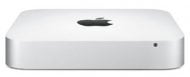
Dedicated Mac mini
- UNLIMITED monthly transfer
- 1 Gbps bandwidth access
- (1) Public IPv4 address
- /96 IPv6 address block available
$29.99/mo+

Dedicated Mac Pro
- UNLIMITED monthly transfer
- 1 Gbps bandwidth access
- /29 IPv4 address block (5 usable)
- /64 IPv6 address block available
$149.99/mo+
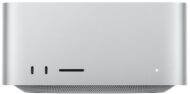
Dedicated Mac Studio
- UNLIMITED monthly transfer
- 1 Gbps bandwidth access
- (1) Public IPv4 address
- /96 IPv6 address block available
$259.99/mo+
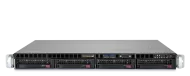
Dedicated Linux Servers
- UNLIMITED monthly transfer
- 1 Gbps bandwidth access
- (1) Public IPv4 address
- /96 IPv6 address block available
$29.99/mo+
Colocation
- UNLIMITED monthly transfer
- 1 Gbps bandwidth access
- (1) Public IPv4 address
- /96 IPv6 address block available
$49.99/mo+
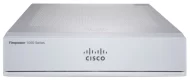
Managed Dedicated Firewall
- 1 Gbps or 10 Gbps Uplink
- IPv4 /29 Public Addressing
- Supports High Availability Config
- Professionally Managed
$99.99/mo+
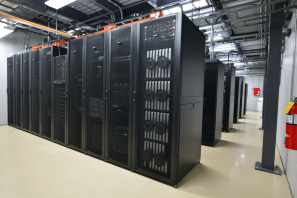
West Coast & Midwest Data Centers
We host thousands of Macs for customers in almost every country. We create high-density enterprise solutions for the Mac mini, Mac Pro, and Mac Studio. Our customer service and feature-packed services make us the leader in the hosted Mac space.
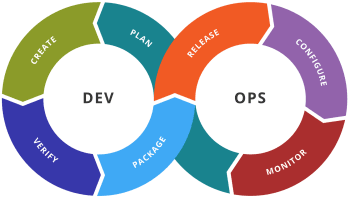
DevOps Approved
Continuous Integration and Continuous Delivery (CI/CD) in the cloud is now possible on our dedicated Mac mini and Mac Pros. No competing for resources and customers have full admin access to their macOS machines.
Why use a Mac mini?
The M2 and M2 Pro chips power the latest Mac mini. The integration of CPU, memory, and storage on the M2 chip allows the Mac mini to compete with computers many times its size – while consuming up to 60 percent less energy than the previous Intel Mac mini generations.